
New Features#
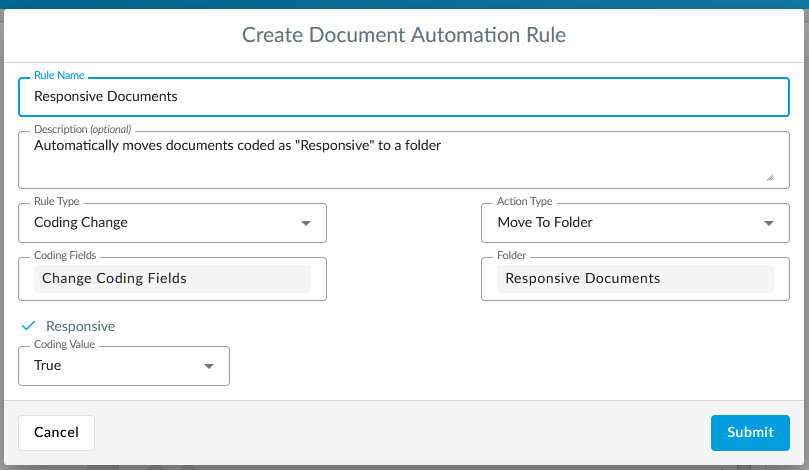
Document Automation#
This feature enhances user efficiency by automating document management tasks based on predefined criteria. Documents can now be automatically added into designated folders or review queues as their attributes change, eliminating the need for manual intervention and extensive searches.
System Alerts#
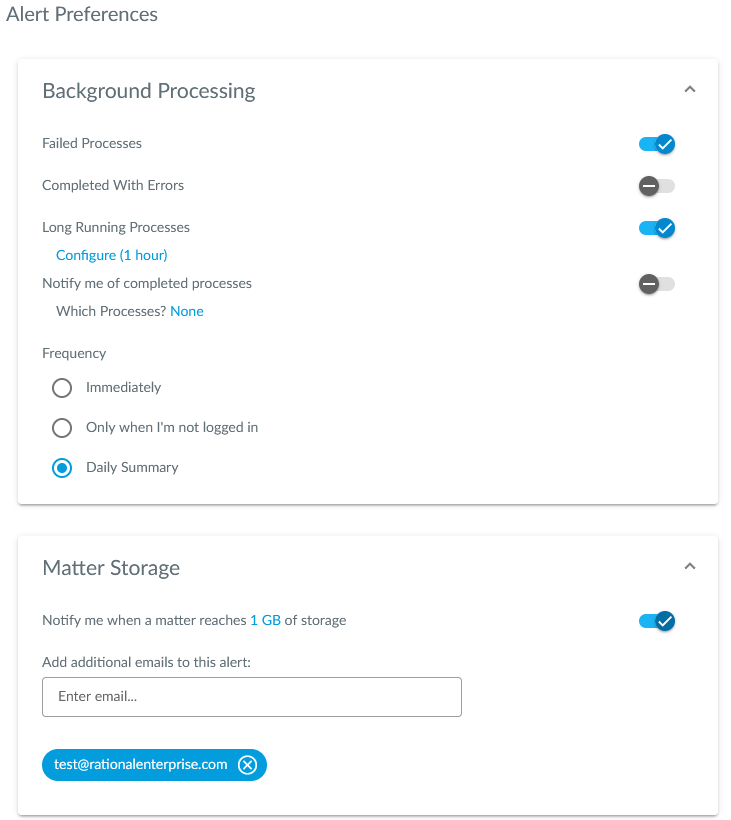
This feature aims to give users the ability to configure alert settings for different system activities, enhancing their monitoring and management capabilities. Users can opt in to receive timely notifications about significant events within the application.
Customizable Dashboards#
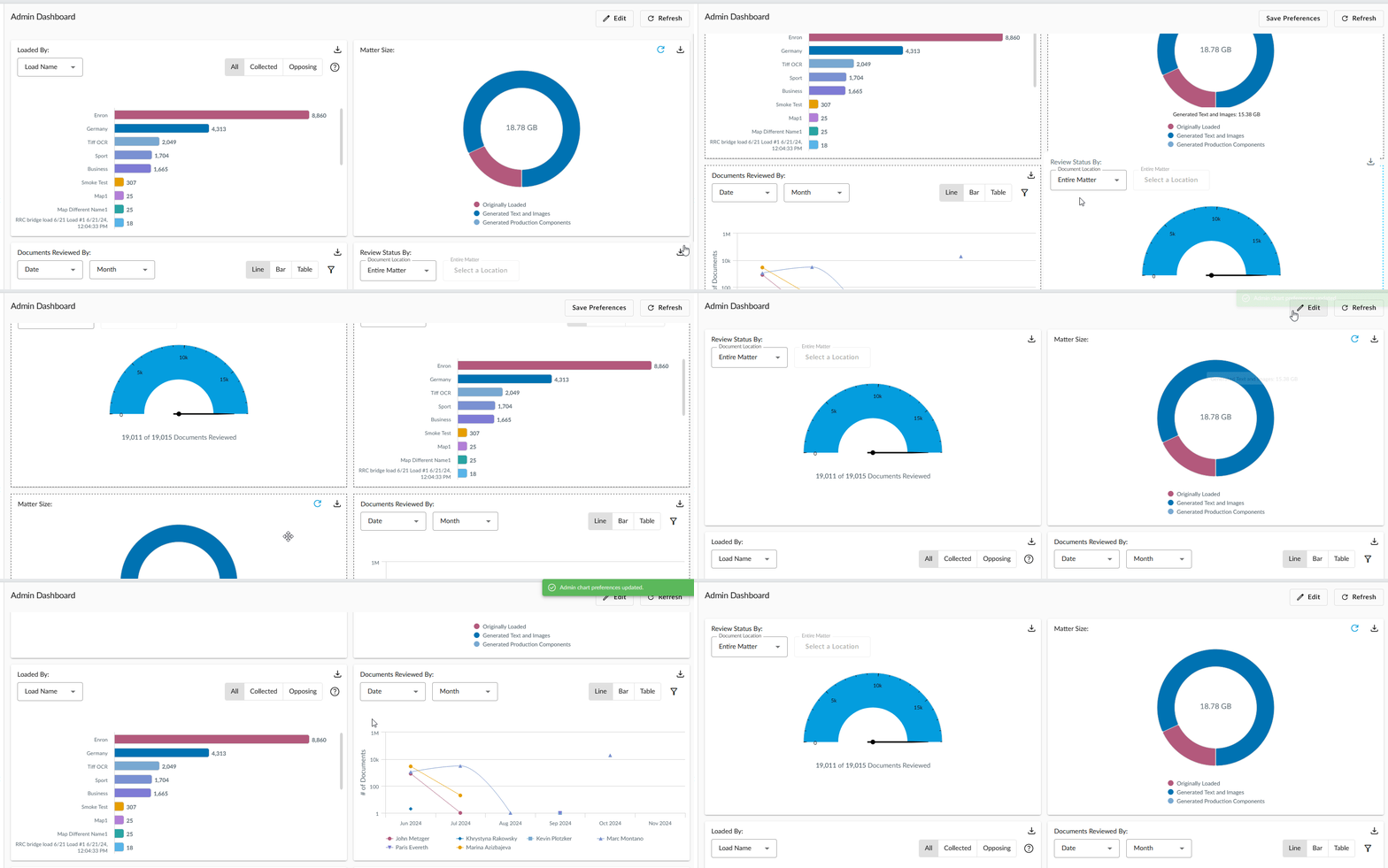
Users will now be able to rearrange panels to different locations within the dashboard.
Improvements#
“Coded By” Coding Field#
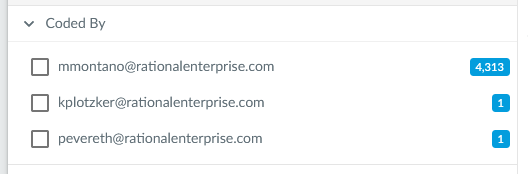
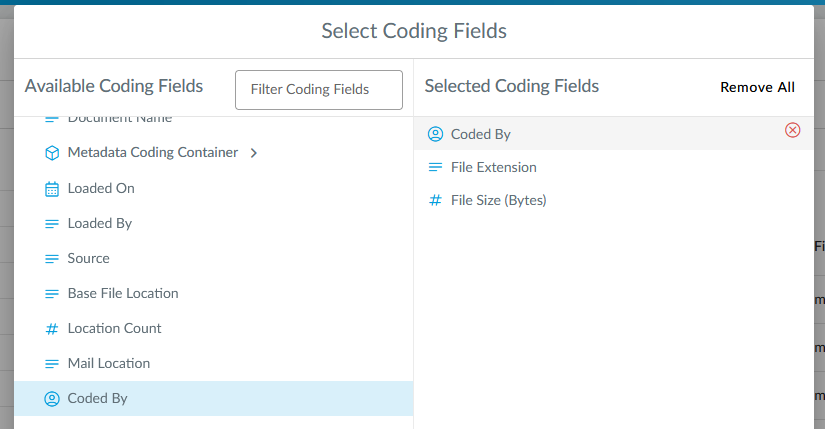
The “Coded By” column in the document list is now filterable and removeable like other coding fields.
“Coded By” Coding History Dialog#
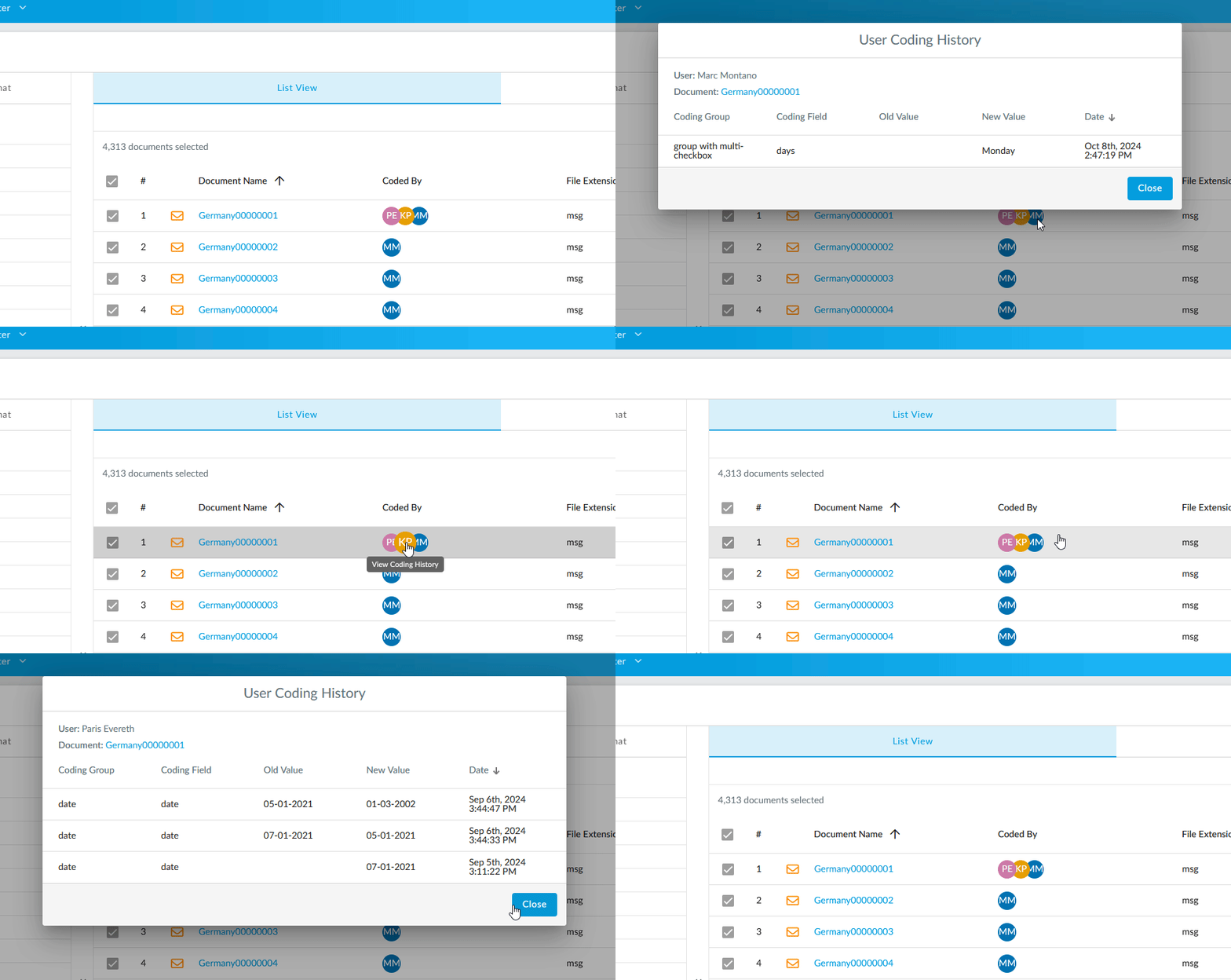
When users click on a user inital in the document list, they will see the user’s coding history for the document.
Clustering#
Users can now generate higher quality clusters with better topical categorization of documents.
Near Duplicate Detection#
Documents with equivalent md5 hashes now count as near duplicates.
Background Processing History#
The Background Processing page was previously limited to just the fifty most recently completed processes, but it is now paginated, so users can see a history of what’s been ran, for up to six months worth of history.
Image Validation Step for Productions#
There is a new step in the Production Wizard to notify users of documents that need imaging before finalizing a production.
Password Input for Loaded Archives#
Password protected archives (e.g. encrypted zip files) loaded without a password require attention before the load can be finalized. A password can be entered on-site for encrypted archives so that the extraction can proceed.
AI Insights#
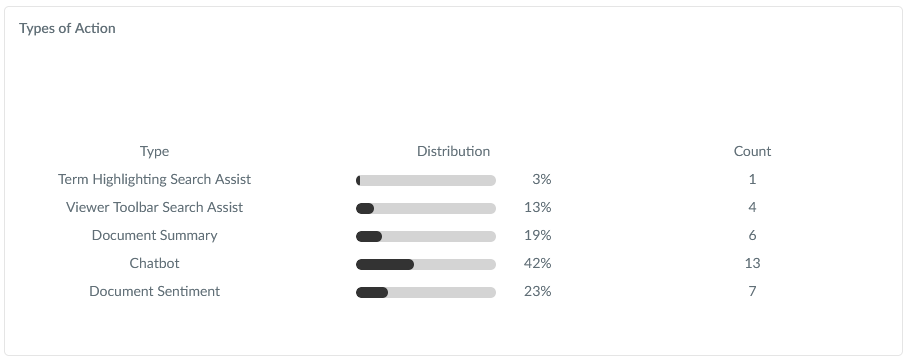
The new AI Insights page allows you to see recent AI feature activity. It will tell you things like the documents used, the types of AI actions performed, when they were performed, the user who performed them, and much more.
Pre-Release#
Pattern Searching#
Users now have the option to use Pattern Searches to find matches for pre-defined data types like SSNs or phone numbers. This will prove time savings when searching and reviewing for PII.

Loads Page Redesign#
The loads page has been redesigned and it also now supports loading through the UI. This is particularly useful for small loads.
Document Note Markups#
Users can now drag and place notes on their documents as well as download and print the documents with the notes on them.
Pre-Discovery Improvements#
Last pre-release version of Pre-Discovery as we look forward to premiering this exciting new feature in v74.